You are changing the car radio in your Peugeot 207, 308, or Partner, and after installation, the steering wheel buttons no longer respond. Volume, track change, call answer: everything is dead. The problem does not come from faulty audio wiring, but from a digital signal that the new car radio cannot read without assistance.
Why do the steering wheel controls stop working after changing the Peugeot car radio?
On an original car radio, the steering wheel buttons communicate with the unit via the vehicle’s multiplexed network. The steering wheel sends a coded signal, and the factory unit recognizes it natively because it has been programmed to do so.
An aftermarket car radio (Android, Pioneer, Kenwood, or others) does not speak the same language. It expects a signal on its Key 1 and Key 2 inputs, two wires dedicated to receiving the steering wheel commands. Without translation between the vehicle’s network and these inputs, the unit ignores everything coming from the steering wheel.
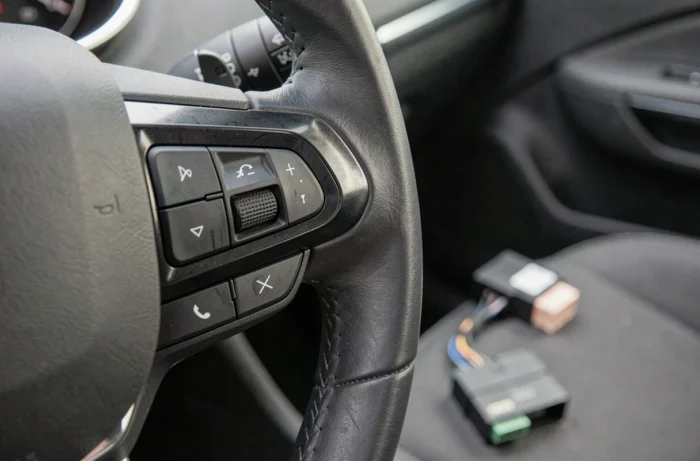
This is where the steering wheel control interface comes in, sometimes called an adapter or CAN-BUS module. This small box connects between the vehicle’s harness and the car radio. It intercepts the signals from the Peugeot multiplexed network and converts them into pulses that the new car radio understands on its Key 1 and Key 2 terminals.
To identify the relevant wires and their colors on your model, the Peugeot car radio wiring diagram details each connector according to the vehicle generation.
CAN-BUS interface or resistors: choosing the right adapter for your Peugeot model
Not all steering wheel control adapters work the same way. The choice depends on the year and the onboard system of your Peugeot.
Recent multiplexed vehicles
On Peugeots produced after the end of the 2000s (308, 3008, 508, 2008, etc.), the steering wheel controls go through the CAN bus. A simple wire connection is not enough. A dedicated CAN-BUS module is needed to decode the frames from the network and translate them for the car radio.
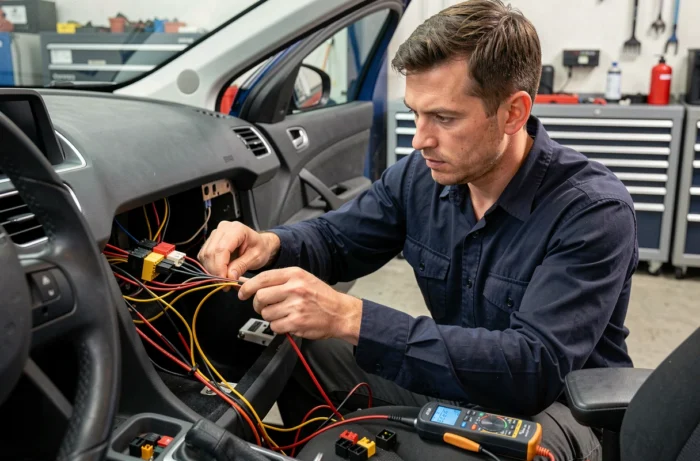
This module usually connects to the original connector behind the radio slot. It sometimes also retrieves other information: climate display on the screen, rear radar data, light status. Without it, you may lose more than just the steering wheel buttons.
Older models with analog signal
On some earlier models (206, 106, early 307), the steering wheel controls use a resistor system. Each button sends a different voltage to the unit. In this case, a resistor adapter (less expensive than a CAN module) may suffice, provided it is compatible with the brand of the replacement car radio.
Are you unsure about the type of signal in your vehicle? Check for the presence of two twisted wires (CAN High and CAN Low) on the original connector. If they are present, you are in multiplexed mode, and the CAN-BUS adapter is the only reliable option.
Peugeot car radio connection: concrete steps to keep the steering wheel controls
Once you have the adapter, the installation follows a specific order. Here are the points to respect for a clean connection.
- Turn off the ignition and disconnect the battery before any manipulation. The CAN network is active even when the engine is off on some Peugeots, which can generate fault codes.
- Connect the ISO harness of the car radio to the vehicle connector via a Peugeot ISO adapter. The power wires (permanent, ignition, ground) must match the colors of the original harness.
- Connect the CAN-BUS module or the steering wheel control adapter between the vehicle connector and the Key 1, Key 2, and GND (ground) inputs of the car radio. The GND wire is sometimes forgotten: without it, the control signal has no reference and nothing works.
- On an Android car radio, access the steering wheel control settings in the system menu. Most Android units offer a learning mode: you press each steering wheel button, then assign the corresponding function in the software.
- Reconnect the battery, turn on the ignition, and test each button one by one: volume up, volume down, next track, previous track, answer call, hang up, voice command.
If a button does not respond after learning, check that the corresponding Key wire is in contact. A loose connection on a poorly crimped Dupont connector is the most common cause of failure.
Voice commands and CarPlay: what changes in recent Peugeots
On Peugeots equipped with NAC or SMEG systems (308 since 2014, 3008 since 2016, 208 since 2019), the question arises differently. These vehicles sometimes integrate Apple CarPlay or Android Auto as standard.
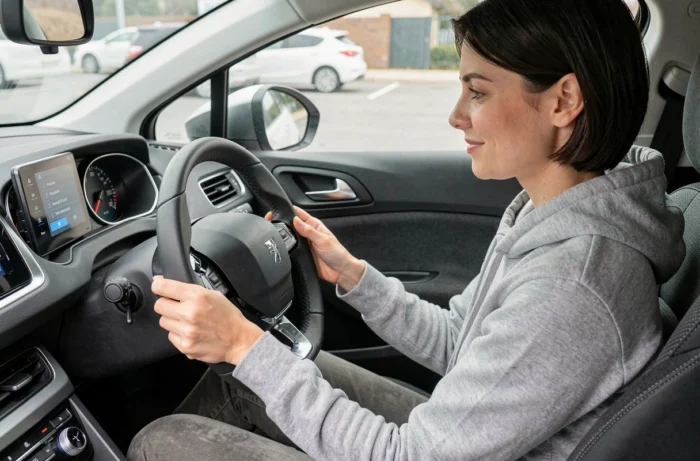
In this case, a long press on the voice command button on the steering wheel directly launches Siri or Google Assistant. You can then make a call, start GPS navigation, or change music without touching the screen. The steering wheel controls are no longer limited to volume and tracks: they become a true shortcut to the phone’s voice assistant.
If you replace the NAC or SMEG system with an Android car radio, this native integration disappears. A dedicated CarPlay interface box can partially restore it, but you need to check compatibility with the chosen CAN-BUS module. Some modules natively manage voice commands, others do not.
Common errors that block car radio connection on Peugeot
Three problems constantly arise in feedback from installers and on specialized forums.
The first: buying a generic adapter without checking exact compatibility with the model and engine type. An adapter designed for a phase 1 308 petrol will not necessarily work on a phase 2 308 HDi. The CAN protocol can vary from one engine type to another on the same model.
The second: neglecting the programming of the car radio. Physically connecting the Key 1 and Key 2 wires is not enough on an Android unit. Without going through the button learning screen, the unit receives the signal but does not know what to do with it.
The third: forgetting to reconnect the GPS antenna and the FM radio antenna. These two elements use separate connectors on most aftermarket car radios. Without a GPS antenna, the location remains approximate. Without an FM antenna, the radio picks up nothing, even if the rest of the connection is perfect.
A Peugeot car radio connection while retaining the steering wheel controls requires an adapter suitable for the vehicle’s network, a methodical connection of the Key 1, Key 2, and GND wires, and a software programming phase on the new unit. Each step counts: skipping any of them is enough to render the steering wheel buttons silent.